Table of Contents
This article is based on the COMP2006 Operating Systems Lecture at Curtin University. It is intended for note-taking and providing a summary for other students. The actual lecture did not cover all the content from the book and may differ in other semesters. This article is from semester 1 of 2024.
Operating System
There is no universally accepted definition of an operating system (OS), but we can describe an OS as a program that acts as an interface between the user and the hardware.
Purposes
- To provide an environment for the user to execute programs.
- To simulate features not available in hardware, such as virtual memory and virtual operating systems.
- To control all the resources.
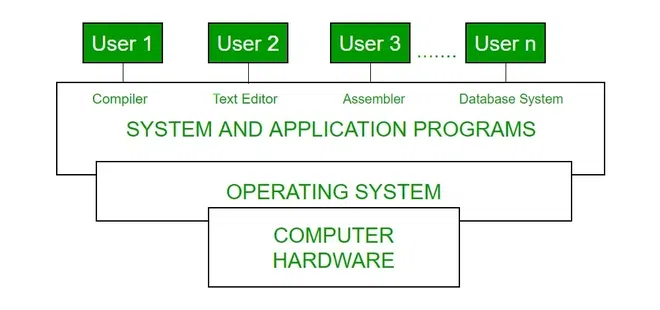
Computer System Organization
The system bus is used for transferring all signals between the CPU and other devices (I/O devices and memory). Each device controller is responsible for a particular device type and has a local buffer.
To execute a program, a computer must store it in memory along with the operating system. When powered on, the computer needs an initial program (bootstrap) to start running. This bootstrap program is stored in ROM or EEPROM, which are non-volatile storage types.

The kernel is the core component of an operating system that manages system resources and facilitates communication between hardware and software. It runs continuously. In Linux, the first system process is init, which is also called by the bootstrap program.
The operating system is interrupt-driven, a significant concept for understanding further theory. Being interrupt-driven means that the operating system remains idle until an interrupt occurs from hardware or software (system call).
Interrupt Driven
How the CPU Works with Interrupts
- Receive Interrupt: The CPU receives an interrupt signal from hardware or software.
- CPU Stops Current Activity: The CPU stops its current execution and saves its state.
- Execute Interrupt Service Routine (ISR): The CPU jumps to a predefined memory location to execute the Interrupt Service Routine (ISR), which handles the interrupt.
Role of the Interrupt Vector Table
The interrupt vector table provides the address of the appropriate Interrupt Service Routine (ISR) for each interrupt, allowing the CPU to efficiently determine and execute the correct ISR when an interrupt occurs. The interrupt vector table contains vector numbers (0-255) and descriptions. It is not necessary to memorize the table, but it is important to understand that lower numbers have higher priority.
For example, if a vector number 14 (page fault) interrupt occurs and the CPU is working on its ISR, and during that process, a vector number 1 (debug exception) makes a system call, the CPU will stop the ISR for vector 14 and jump to the ISR for vector 1.
Storages
Storage Structures
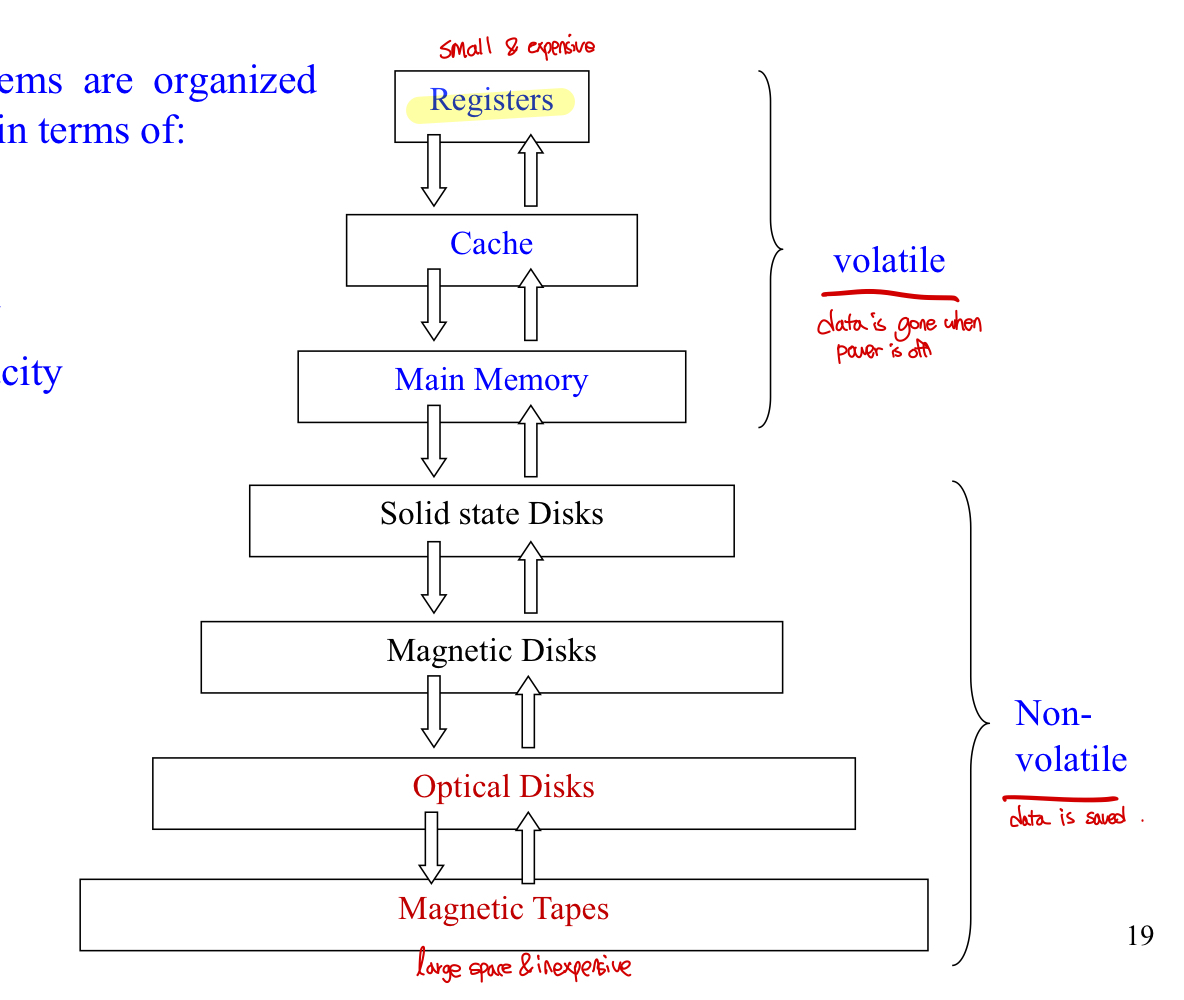
In this diagram, higher-level storages are more expensive and have less space.
Volatile Storage: Registers, cache, and main memory lose their contents when not powered.
Non-Volatile Storage: SSDs, magnetic disks, optical disks, and magnetic tapes keep their contents even when power is off.
Von Neumann Architecture
The CPU can execute instructions only from memory.
Execution Cycle
- Fetch: Fetch instruction from memory & store it in the instruction register.
- Decode: Decode the instruction to determine the operation to be performed.
- Execute: Execute the decoded instruction using the appropriate components of the CPU (ALU, registers, etc.).
- Store: Store the result of the execution back into memory or a register.
- Repeat.
I/O Basic Concepts
An I/O device communicates with a computer system by sending signals over a cable or wireless via a port.
Host and Controller Interactions
There are three ways to communicate with an I/O controller.
Polling
The host repeatedly reads the busy bit in the status register until it’s not busy. The polling method is efficient when the device and controller are fast.
Interrupt Based I/O
- Device controller makes an interrupt to the CPU.
- CPU catches the interrupt and dispatches it to the interrupt service routine.
- Interrupt handler clears the interrupt.
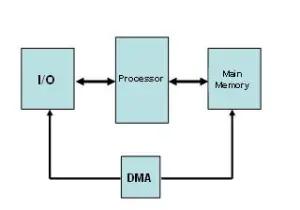
Direct Memory Access (DMA)
DMA is used to improve performance for large data transfers. By using a special-purpose processor, the CPU can do other work concurrently while data is transferring.
Computer-System Architecture
A single processor system (only one CPU) can execute general-purpose instructions. However, a multiprocessor system contains two or more processors working together.
Main Advantages of Multiprocessor System
- Increasing throughput: Get more work done in less time.
- Economy of scale: Multiple devices can be shared.
- Increasing reliability: One processor failure doesn’t stop the system.
Types of Multiprocessor System
- Asymmetric multiprocessing: One master, and multiple slaves.
- Symmetric multiprocessing: (common) Each processor has its own registers and cache.
Multicore System
You should be able to explain the key difference between multicore systems.
- Multicore System: A multiprocessor system on a single chip. On-chip communication is faster than inter-chip communication, so it’s efficient.
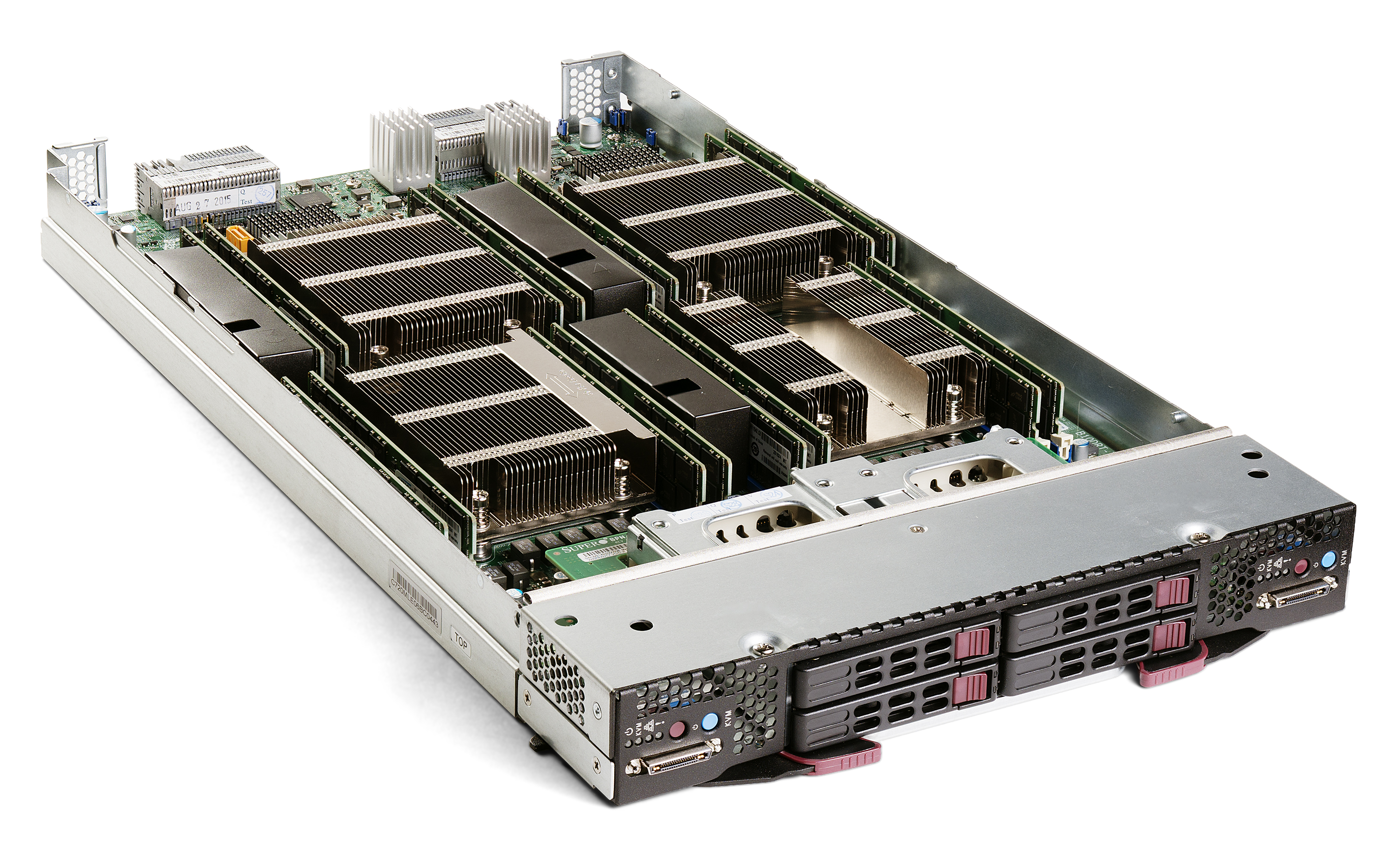
- Blade Servers: Multiple processor boards and mostly using for server computer.
- Clustered System: Cluster systems are created when two or more computer systems are merged. Basically, they have an independent computer but have common storage and the systems work together.
CPU Scheduling
Multiprogramming
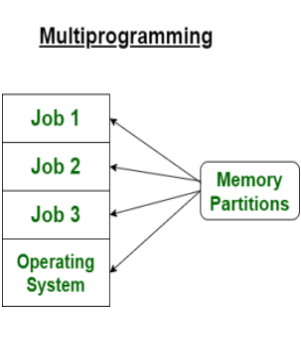
To increase CPU utilization, we need to store several processes into memory and make the CPU multiplex among them. To achieve this, the OS needs these features: job scheduling, memory management, CPU scheduling, and I/O allocation.
Time-Sharing/Multitasking Systems
To provide interactive use of a computer system at a reasonable cost, we use the time-sharing method, a variant of multiprogramming. The CPU is multiplexed among jobs in memory rapidly, allowing users to interact with their running programs. Required OS features include online communication between users and the system and an online file system for users to access data and code.
Real-Time Systems
Real-time systems are designed to respond to input or events within a guaranteed time frame. They are used in environments where timing is crucial, such as embedded systems, medical devices, and industrial control systems.
- Hard Real-Time Systems: These systems guarantee that critical tasks are completed on time and are typically implemented with specialized hardware. They are used in applications where missing a deadline could lead to catastrophic consequences, such as in medical imaging systems and industrial control systems.
- Soft Real-Time Systems: These systems give higher priority to critical tasks but do not guarantee that deadlines will always be met. Missing a deadline in these systems does not cause catastrophic failure but may degrade performance. Examples include multimedia systems and online transaction processing systems.
Virtualization
Virtualization technology allows an OS to run as applications on other OS. This includes VM Ware, VirtualBox.
OS Operation
In multiprogramming, OS must ensure that an incorrect (or malicious) program cannot cause other programs to execute incorrectly.
Dual-Mode Operation : Hardware provides two modes of operations, user mode and monitor mode.
Priviliged Instructions are only executed in the monitor mode as it can harm the system since it is designed to control hardware.
I/O Instructions : All I/O instructions are priviliged instructions, and use system call.
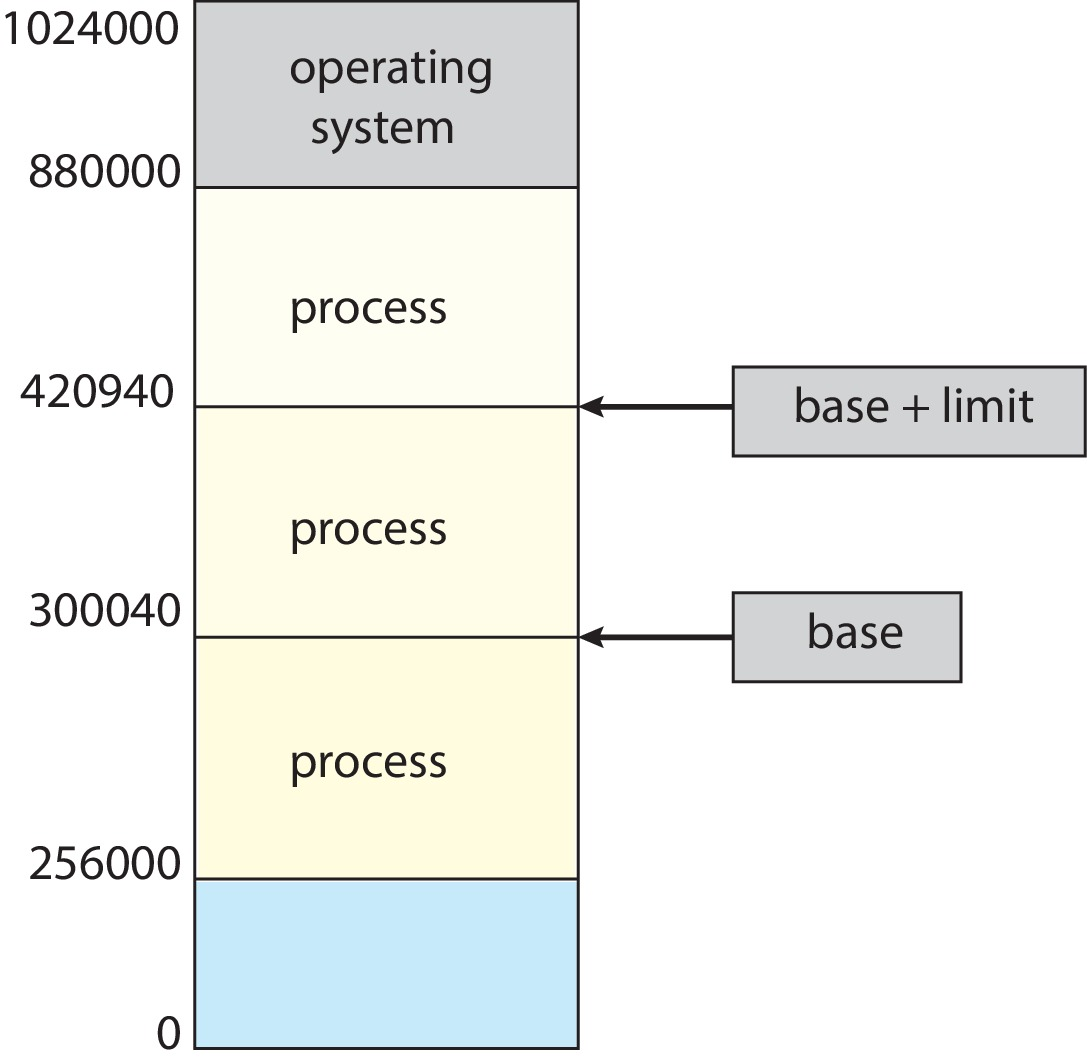
Memory Protection : Base Register is smallest physical memory address. Limit Register contains size of the range.
CPU : CPU prevents some program use CPU all the time. The solution can be timer.
System Calls
This is the main concepts that you need to understand on week 1 lecture.
System call is a user interface to the OS services. It is known by its number, and as I mentioned before it is software generated interrupt.
OS Structures
Monolithic/Simple Structure
No well-defined structures, it is not divided into modules, MS-DOS has some structure, its interfaces and levels of functionality are not well seperated.
Advantages : The most simple structure.
Disadvantages : Lack of modularity, security Risks.
Layered Approch
The OS is divided into a number of layers(levels).
Advantages : High modularity, easy to debug
Disadvantages : Less efficient, hard to define level functionality.
Microkernel
Smaller-size kernel, only provides minimal services.
Advantages : Easier to extend OS, more portable, better security and reliability.
Disadvantages : Low performance.