Table of Contents
File
A file is a named collection of related information that is recorded on secondary storage. From a user’s perspective, a file is the smallest allotment of logical secondary storage; that is, data cannot be written to secondary storage unless they are within a file. Commonly, files represent programs (both source and object forms) and data. Data files may be numeric, alphabetic, alphanumeric, or binary. Files may be free form, such as text files, or may be formatted rigidly. In general, a file is a sequence of bits, bytes, lines, or records, the meaning of which is defined by the file’s creator and user. The concept of a file is thus extremely general.[1]
File Attributes
- Name: The name of the file, which is used to identify it within the directory. Identifier: A unique identifier assigned to the file, often used by the system to reference it.
- Type: The type of the file, such as a text file, executable, or directory.
- Location: The address or location information indicating where the file is stored on the disk.
- Size: The size of the file, usually measured in bytes.
- Protection: The access permissions for the file, determining who can read, write, or execute it.
- Timestamps and User Identification: Information about when the file was created, modified, or accessed, along with the user who performed these actions.
Directory Structure
Tree Directory Structure is hirarchy structure and has route directory(/), and has sub directory.
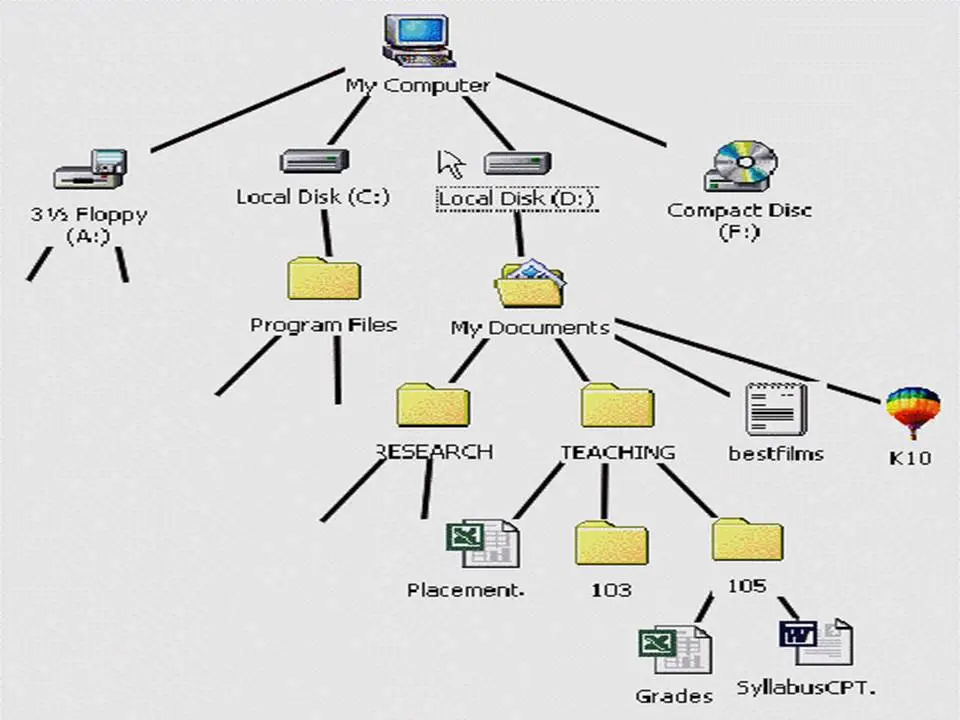
Same file name in same directory cannot be exist, but in different directory it is available.
Directory Entry
Directories are a special form of file that contain information about other files within them. Inside a directory, data is organized in a table structure. Each entry in this table includes the names of the files and the location information of these files. This structure helps in efficiently managing and accessing the files stored within the directory.